What Is Actually Inside a .pactbound File
A .pactbound file is a ZIP archive with a manifest, the content, the disclosures, the sign-offs, and the on-chain anchors. Here is every part and why it is there.

A .pactbound file is a ZIP archive. You can rename it to .zip and open it with the same tool you already use. Inside are the files that changed hands, the disclosures attached to them, the acknowledgment records, and the on-chain anchor proofs, all tied together by a manifest that commits to every one of them under a single hash. The point of the format is that it verifies without us: anyone holding the file and a browser can confirm it is genuine, with no Pactbound account and no Pactbound server.
The full normative version is the bundle format specification. This is the readable tour.
Why a ZIP and not something exotic
Because a proprietary container would be a liability, not a feature. If the format needs our software to open, then the evidence depends on us continuing to exist, which defeats the purpose.
The archive is identified the same way EPUB and OpenDocument identify themselves: the first entry is a stored, uncompressed file called mimetype holding the exact string application/vnd.pactbound+zip. Putting it first and uncompressed places the media type at a fixed byte offset, so a tool like libmagic can identify the file by reading its first few dozen bytes rather than parsing the whole archive.
The layout
mimetype                     first entry, stored, never compressed
manifest.json                the root document
items/<fileName>             one per content file, raw bytes
disclosures/<id>.json        one per disclosure
acks/<ackId>.json            one per acknowledgment
proofs/hedera.json           the on-chain anchor records
signature.json               optional, a detached JWS over the manifest
verification.json            optional, advisory display metadata

The archive layout is deliberately boring: named folders, one thing per file, nothing that needs our software to open. Photo: Zulfugar Karimov via Pexels. Pexels License.
Everything else is referenced from manifest.json. That file is the root: it lists the items with their hashes, the disclosures, the acknowledgment summaries, and the Merkle root that commits to all of them.
What holds it together
Three separate mechanisms, each answering a different question.
| Mechanism | Answers | How |
|---|---|---|
| SHA-256 per file | Did this file change? | Recompute the hash, compare to the manifest |
| Merkle root | Did the set change? | Rebuild the tree from every leaf, compare to merkleRoot |
| On-chain anchor | Did it exist then? | Fetch the record from a public mirror node, compare the committed hash |

The manifest is the root document. Every other part of the bundle is referenced from it and covered by its hash. Photo: Godfrey Atima via Pexels. Pexels License.
The Merkle tree uses the domain separation from RFC 6962 and RFC 9162, the standards behind Certificate Transparency. Leaves are prefixed with 0x00 and internal nodes with 0x01 before hashing. That prefix is not decoration: without it, an attacker can present an internal node as though it were a leaf, which is the second-preimage attack the Certificate Transparency design exists to prevent.
Structured data gets canonicalized with RFC 8785 JSON Canonicalization Scheme before hashing, so that two systems serializing the same object in a different key order still produce the same digest. Without canonicalization, a hash over JSON is a hash over one particular way of writing that JSON, which is not the same thing.
Why acknowledgments are not in the Merkle root
This one looks like an omission and is not.
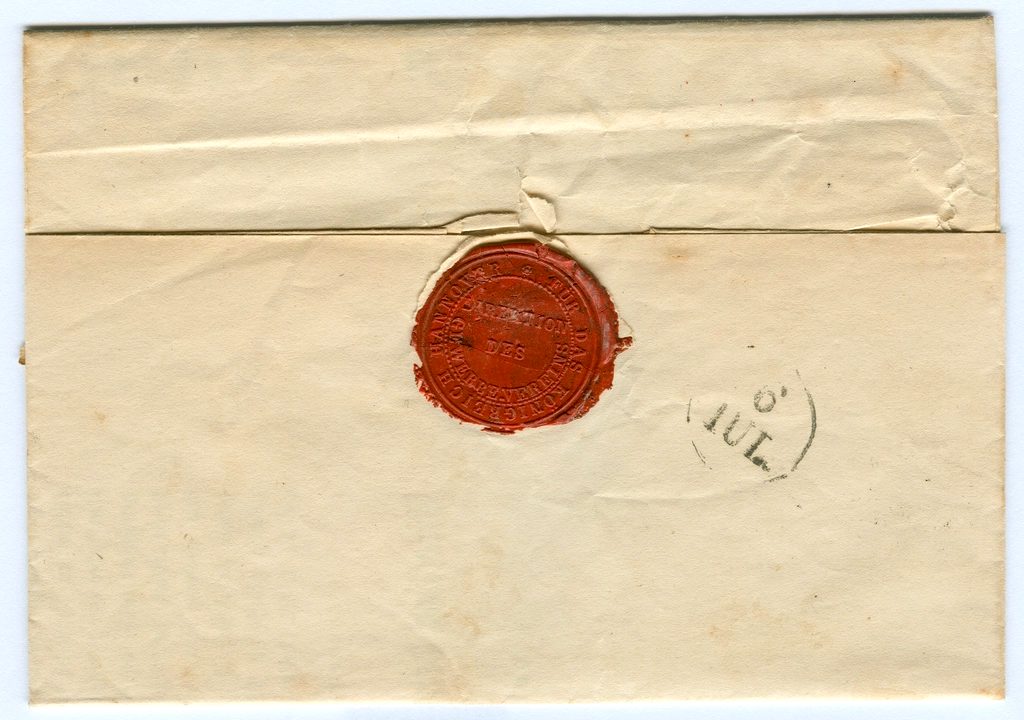
A seal can only commit to what existed when it was pressed. Signatures arrive afterwards, which is why they are bound a different way. Photo: Unknown via Openverse. CC0 1.0.
The Merkle root is anchored on chain when the bundle is sent. Acknowledgments happen after that. Content that does not exist yet cannot be committed to a root that has already been published, so folding sign-offs into that root would require either re-anchoring on every signature or backdating, and the second one is exactly the thing the format exists to make impossible.
Each acknowledgment is bound three other ways instead: by its own ackHash, by appearing in the manifest (so it falls under bundleHash), and by its own on-chain anchor when per-acknowledgment anchoring is switched on.
What happens when the files are too big, or too private
Two situations the format handles with the same mechanism.

In receipt mode the bytes stay in storage and only the hashes travel, so a bundle can prove a document existed without carrying it. Photo: Element5 Digital via Pexels. Pexels License.
When content exceeds roughly 6 MB, the bundle becomes a receipt: hashes, disclosures, acknowledgments, and anchors, with the actual bytes kept in storage and re-attached on download. Bundle size stays bounded and the proof stays intact.
The same shape solves a different problem. You can prove a document existed and was acknowledged without showing anyone the document. An auditor, an insurer, or opposing counsel can confirm that a file with hash X was disclosed and signed at time T, learning nothing about its contents. If you later need to prove which file that was, you produce it and they recompute the hash.
What a verifier actually checks
Seven steps, all reproducible by anyone with the file and a public mirror node:
- Confirm the version is supported and
mimetypeis the first, stored entry - Recompute SHA-256 for every item and compare to the manifest
- Recompute every disclosure hash and acknowledgment hash
- Rebuild the Merkle tree and compare to
merkleRoot - Recompute
bundleHashas SHA-256 over the canonical manifest - For each anchor, fetch the on-chain record and compare hash and time
- If a signature is present, verify the JWS over the recomputed manifest
Steps one through seven need nothing from us. The one thing a bundle cannot prove on its own is party identity, because that requires an off-chain key we deliberately do not ship inside the file. That limit is a privacy decision, and we would rather state it than let someone discover it.
Try it on a real file
The verifier at pactbound.com/verify runs those checks in your browser. Drop a bundle on it and it reports content integrity, timestamp, and sign-off status as three separate results rather than one green tick, because they are three separate claims and one of them can fail while the others hold.